Play

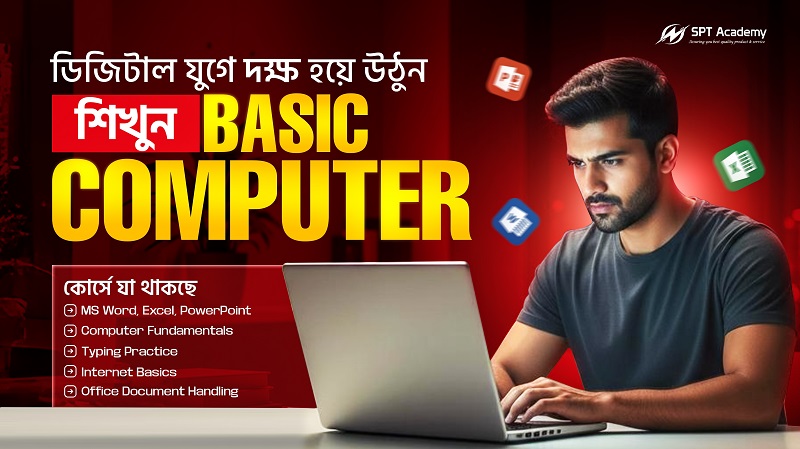
Computer Basic Programs

  • (1 ratings)

  • 1 Month

  • 8 Students

  • 0 Lessons

What you'll learn

By the end of this course, you will be able to: Understand computer hardware and software basics Operate Windows or any other operating system efficiently Manage files and folders effectively Use the internet safely and search for information Send professional emails and use online communication tools Work with MS Word, Excel, and PowerPoint (or Google alternatives) Protect your computer from viruses and keep it maintained Develop basic troubleshooting skills.

Curriculum

πŸ”Ή MODULE 1: Computer Fundamentals

Topics Covered

  • Introduction to Computers & Digital Devices
  • Types of Computers & Their Uses
  • Hardware Components
  • Software Types: System Software & Application Software
  • Operating System Concepts
  • Booting Process & System Startup
  • Understanding Computer Performance (CPU, RAM, Storage)


πŸ”Ή MODULE 2: Windows Operating System Management

Topics Covered

  • Windows Interface & Navigation
  • Desktop Management (Taskbar, Icons, File Explorer)
  • File & Folder Management (Copy, Move, Sort, Organize)
  • Using System Tools (Task Manager, Control Panel, Settings)
  • Installing and Uninstalling Programs
  • System Security & User Account Control
  • Backup & Restore Basics


πŸ”Ή MODULE 3: Keyboard Mastery & Typing Skills

Topics Covered

  • Touch Typing – Home Row Technique
  • Finger Positioning & Typing Accuracy
  • Keyboard Shortcuts for Speed
  • Typing Practice Platforms
  • Error-Free Professional Writing Techniques


πŸ”Ή MODULE 4: MS Word (Professional Documentation)

Topics Covered

  • Word Interface Overview
  • Document Creation & Formatting
  • Page Setup & Layout Customization
  • Creating Tables & Columns
  • Inserting Images, Shapes & SmartArt
  • Working with Styles & Templates
  • Creating Professional Reports
  • Mail Merge for Office Automation
  • Exporting & Securing Documents (PDF, Encryption)


πŸ”Ή MODULE 5: MS Excel (Data Management & Calculations)

Topics Covered

  • Excel Interface & Worksheet Navigation
  • Data Entry & Formatting
  • Cell Referencing (Relative & Absolute)
  • Essential Formulas (SUM, AVG, MAX, MIN, IF)
  • Sorting & Filtering Data
  • Data Validation & Conditional Formatting
  • Charts & Graphs for Data Visualization
  • Creating Salary Sheets, Attendance Sheets, Budgets


πŸ”Ή MODULE 6: MS PowerPoint (Presentation Skills)

Topics Covered

  • Understanding Slide Layouts
  • Using Themes & Templates
  • Designing Business Presentations
  • Working with Images, Shapes, SmartArt
  • Professional Animations & Transitions
  • Preparing Presentations for Meetings, Pitches & Classes
  • Exporting Slides as PDF or Video


πŸ”Ή MODULE 7: Internet & Digital Communication

Topics Covered

  • Understanding Browsers & Search Engines
  • Creating & Managing Email Accounts
  • Email Writing Etiquette
  • File Uploading & Cloud Storage
  • Understanding Online Forms
  • Safe Browsing Practices
  • Cybersecurity Awareness (Viruses, Phishing, Scam Prevention)


πŸ”Ή MODULE 8: Professional Office Skills

Topics Covered

  • PDF Handling: Merge, Split, Edit
  • Google Workspace (Docs, Sheets, Slides)
  • File Sharing & Collaboration
  • Online Meetings & Zoom/Google Meet Basics
  • Printing & Scanning Operations
  • Hands-on Office Tasks
    • Writing a CV
    • Preparing professional letters
    • Creating invoices & bills 


πŸ”Ή MODULE 9: Project & Certification

Topics Covered

  • Project 1: Word Report Design
  • Project 2: Excel Payroll Sheet
  • Project 3: PowerPoint Business Presentation
  • Final Viva & Skill Assessment
  • Certificate Distribution
  • Career Guidance (Jobs & Freelancing)


🎯 LEARNING OUTCOMES

After completing this course, students will be able to:
βœ” Operate a computer with full confidence
βœ” Manage files, folders, and system settings
βœ” Create professional documents, spreadsheets & presentations
βœ” Use the internet & email effectively
βœ” Communicate digitally in workplace environments
βœ” Apply basic cybersecurity practices
βœ” Use office tools required for corporate jobs


Descriptions

This beginner-friendly course is designed to help you build strong and practical computer skills needed in today’s technology-driven world. Whether you are a student, job seeker, professional, or someone simply looking to improve digital confidence, this course will guide you step-by-step from the very basics to essential office tasks.

You will start by understanding how computers work, learning about important hardware components, operating systems, and how to manage files and folders effectively. From there, you will explore the Windows interface, customize system settings, and learn to use built-in tools to keep your computer running smoothly.

The course also focuses on developing your typing accuracy, keyboard shortcuts, and overall speed to help you work more efficiently. You will gain practical experience with the most widely used office applications β€” MS Word, MS Excel, and MS PowerPoint β€” enabling you to create professional documents, spreadsheets, presentations, and reports used in offices, schools, and businesses.

In addition, you will learn essential internet skills, including safe browsing, email communication, Google tools, cloud storage, and recognizing online threats. These skills ensure that you can use the internet confidently and securely in everyday life.

By the end of this course, you will have all the digital knowledge required for basic office jobs, academic use, online tasks, and personal productivity. No previous computer experience is required β€” this course is perfect for complete beginners who want to become confident and capable computer users.
 

(0) Write a review

No reviews available.

Giving Rating:

This Course Includes

  • πŸ”Ή MODULE 1: Computer Fundamentals

  • πŸ”Ή MODULE 2: Windows Operating System Management

  • πŸ”Ή MODULE 3: Keyboard Mastery & Typing Skills

  • πŸ”Ή MODULE 4: MS Word (Professional Documentation)

  • πŸ”Ή MODULE 5: MS Excel (Data Management & Calculations)

  • πŸ”Ή MODULE 6: MS PowerPoint (Presentation Skills)

  • πŸ”Ή MODULE 7: Internet & Digital Communication

  • πŸ”Ή MODULE 8: Professional Office Skills

  • πŸ”Ή MODULE 9: Project & Certification